Getting Started

How to Play on Rainbet

New to crypto gambling? This guide walks you through everything — VPNs, buying crypto, depositing and withdrawing — so you can start playing with code BOYZ.

Step 1 — Importortant

1

Create Your Rainbet Account

Click the button below to visit Rainbet and create your account. Make sure to use our referral code to unlock exclusive rewards and join the leaderboard.
Referral Code:
BOYZ⧉
1
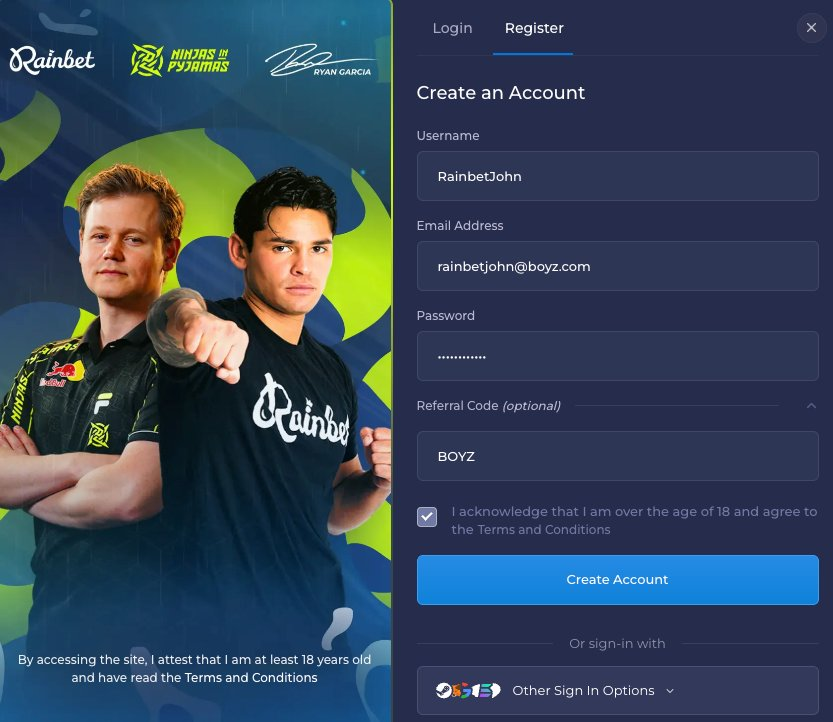
Visit rainbet.com and click Register.
2
Fill in your username, email and password.
3
Open the Referral Code field and enter BOYZ.
4
Tick the age confirmation box and hit Create Account.
Using code BOYZ links your account to TheBoyz — this is required for monthly milestones, leaderboard eligibility and exclusive bonuses.

Step 2 — Recommended

VPN Setup

Rainbet may be restricted in your region. A VPN routes your connection through an allowed country. Windscribe and Surfshark are the recommended options for this guide.

Recommended VPN
Windscribe

Fast, reliable VPN option shown in the community guide. Available on desktop and mobile app stores with monthly or yearly plans.

Open WindscribeGuide price: £50 yearly
Recommended VPN
Surfshark

All-in-one VPN and cybersecurity suite shown in the community guide. Available on desktop and mobile with monthly or yearly plans.

Open SurfsharkGuide price: £40 yearly
Set your VPN location to Norway, Iceland, Austria, or Switzerland for the best Rainbet experience.

Step 3 — Getting Funds

Cryptocurrency

Rainbet uses crypto deposits. The easiest route from the community guide is to buy crypto through Kraken, then send it to your Rainbet deposit address.

Get Started with Kraken
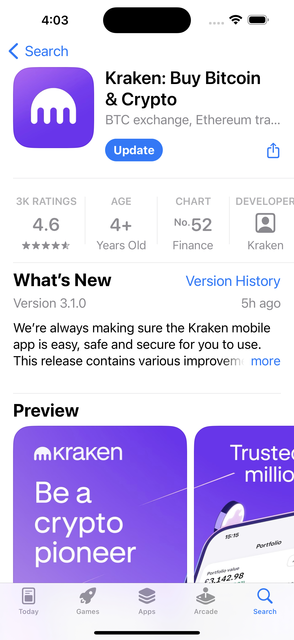
1
Download Kraken
Install the Kraken app from the App Store or Google Play.
2
Create and verify your account
Complete Kraken verification before buying crypto. It can take up to 24 hours before sending is available.
3
Buy your chosen crypto
Use the Buy tab, select the crypto you want, add your payment method, and confirm the purchase.
4
Send it to Rainbet
Copy your Rainbet deposit address and paste it into Kraken's withdraw flow.
Open KrakeniOS · Android · Web
Kraken app listing in the App Store
Download Kraken
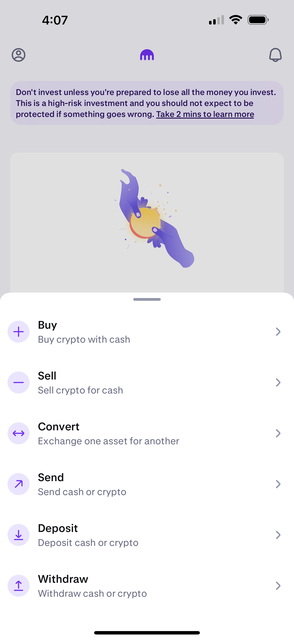
Kraken app action menu with buy, sell, convert, send, deposit, and withdraw
Open the action menu
Mobile app setup
Card or bank payment
Deposits usually arrive quickly

Step 4 — Buying Crypto

Buying Crypto on Kraken

Follow these steps inside Kraken to buy the crypto you want to deposit into Rainbet.
1
Download Kraken from your mobile app store and create an account.
2
Complete verification before buying crypto. Sending may only unlock after 24 hours.
3
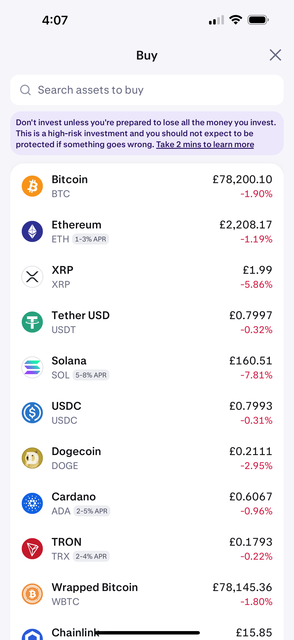
Tap the middle button on the bottom navigation and choose Buy.
4
Select the crypto you want to purchase.
5
Tap "Pay with" to add your payment method.
6
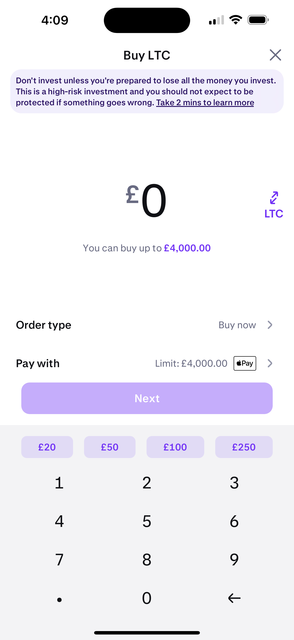
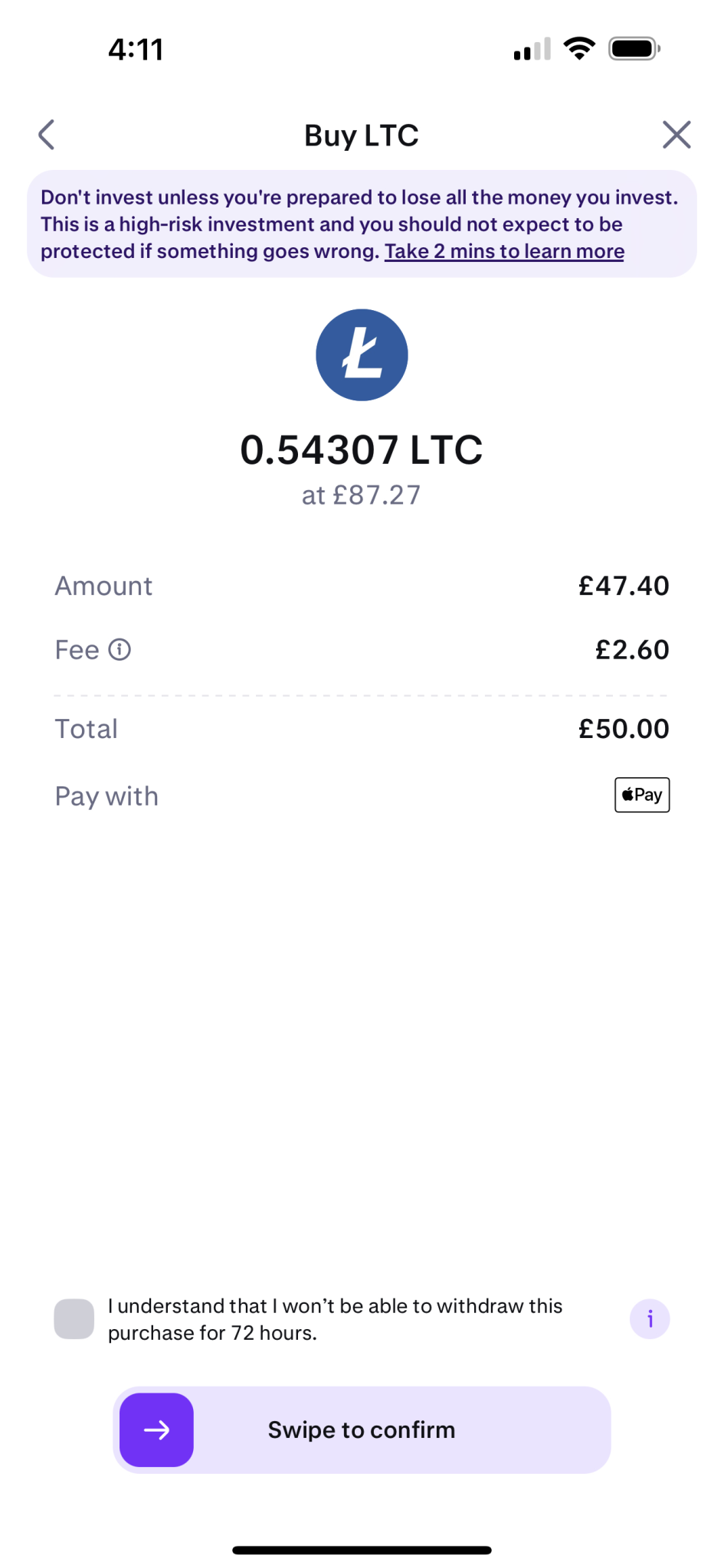
Enter the amount, tap Next, accept the confirmation box, and swipe to confirm.
7
Your crypto should appear in your Kraken account once the purchase clears.
Start with a small amount while you learn the flow. Always double-check the crypto type and network before sending funds.
Kraken buy asset list showing available cryptocurrencies
Choose crypto
Kraken buy amount screen for Litecoin
Enter amount
Kraken purchase confirmation screen
Confirm purchase

Step 5

Deposit to Rainbet

Once your crypto is in Kraken, get your Rainbet deposit address and send to that exact address from Kraken.
1
Log in to rainbet.com (use your VPN if needed).
2
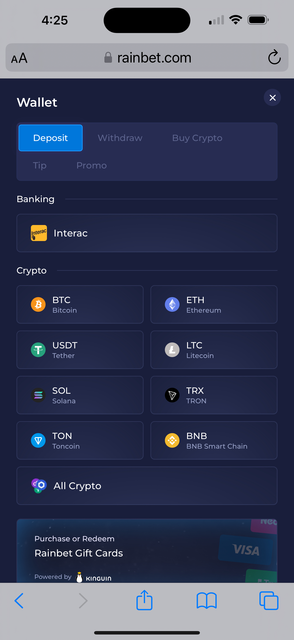
Click the Wallet icon in the top right.
3
Choose Deposit and select the same crypto you bought on Kraken.
4
Copy the Rainbet deposit address.
5
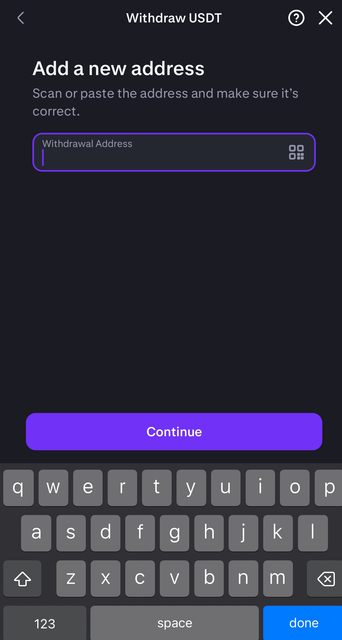
Go back to Kraken, choose Withdraw or Send, and paste the Rainbet address.
6
Confirm the withdrawal. Your deposit should appear on Rainbet within about 15 minutes.
Test with a small amount first before depositing your full balance.
Rainbet wallet deposit screen with crypto options
Find Rainbet deposit
Kraken withdrawal address screen
Paste address in Kraken

Step 6

Withdraw from Rainbet

To cash out, withdraw from Rainbet back to the matching crypto address in Kraken.

1
Log in to rainbet.com.
2
Click the Wallet icon in the top right.
3
Select Withdraw and choose the crypto you want to cash out.
4
In Kraken, copy the matching deposit address for that same crypto.
5
Paste the Kraken address into Rainbet, enter the amount, and confirm.
6
Wait for the transfer to arrive in Kraken, then sell or withdraw from there.
Test with a small amount first before withdrawing your full balance.
Address and network mistakes can permanently lose funds. Match the crypto on both sides before confirming.

Need More Help?

Join the Discord and open a support ticket — the team will get back to you as soon as possible.

Join the Discord